GitLab is an open source project.
https://gitlab.com/actiontestscript/ats-test
With GitLab you have multiple executions possibilities. Agilitest recommends those 2:
- Executions with Docker images. Agilitest can run Docker images on both Linux and Windows, but the standard version of Gitlab can only execute Linux containers.
- Runner executions, which can be used on all 3 operating systems: Linux, Windows and MacOS
Pipeline Editor
The easiest way to execute ATS tests is in the Pipeline Editor.
To access it, click on Build > Pipeline Editor
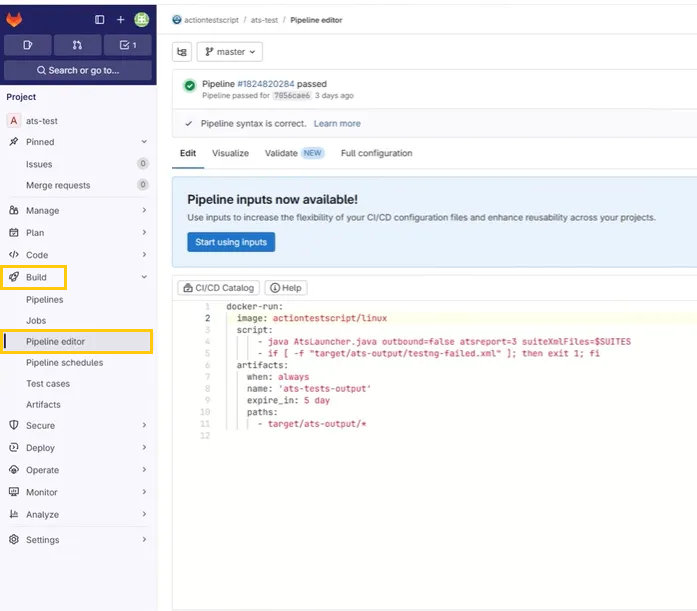
Raw code in Docker images:
Once the Pipeline Editor is set up, as soon as code is pushed into GitLab, it will launch a Job execution.
You can do a simple check for runtime errors with the code :
- if [ -f "target/ats-output/testng-failed.xml" ]; then exit 1; fi
You can also verify in the target output repository if the testng-failed.xml file has been created. If it does not exist it means there are no errors.
Furthermore, you can check the ats-results.json file. This file is complete with data in json format about tests results status.
You can also add variables to your executions.
To do this, go to Build > Pipelines, then click on “New Pipeline”.
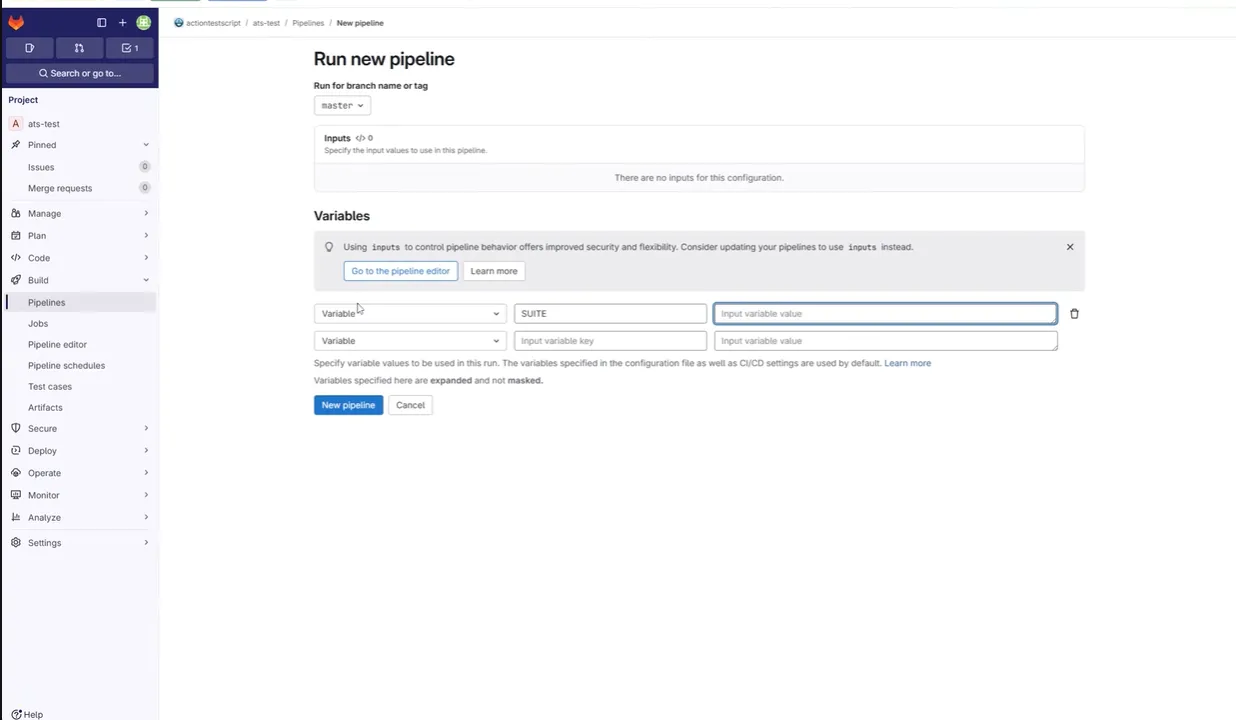
You can choose to add a variable with its name and value.
Example : The name of the suite passed in parameter.
GitLab runner
You can create a runner from Gitlab.
To do that, click on Settings > CI/CD > Create a Runner.
In the TAGS section, enter the tag(s) corresponding to the existing runner tags.
Add a description if you wish, then confirm.
Gitlab offers free runners, but you'll have to wait for them to become available.
You can choose your operating system.
Once you've chosen your operating system, you'll need to install the runner on a dedicated machine, then launch it.
Raw code of the runner:
GitLab and Agilitest
In the case of a GitLab runner, you can retrieve the runner execution file from Agilitest.
To do this, click on the runner management menu.
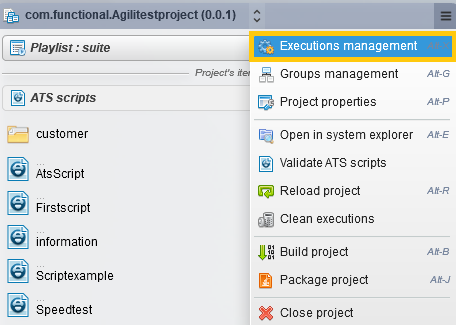
Then click on the Gitlab integration tab.
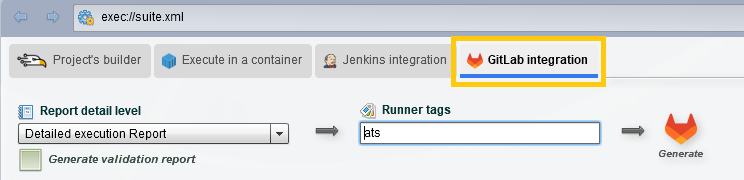
Enter in the “Runner tags” the exact name of the runner in GitLab.
This will generate a GitLab CI file with a different structure from a Docker image.
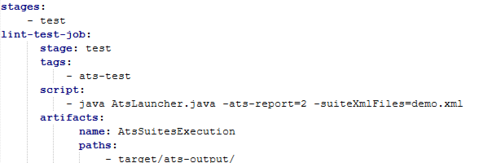
When you click on “Generate”, it will generate the gitlab-ci.yml file only if the file does not exist. This avoids overwriting an existing Gitlab file.