Automating with Agilitest
Licences interface: Manage your Agilitest licences
Consult your personnal information about your Agilitest licences and manage them in this new interface

15 septembre 2023
Maud Forcet
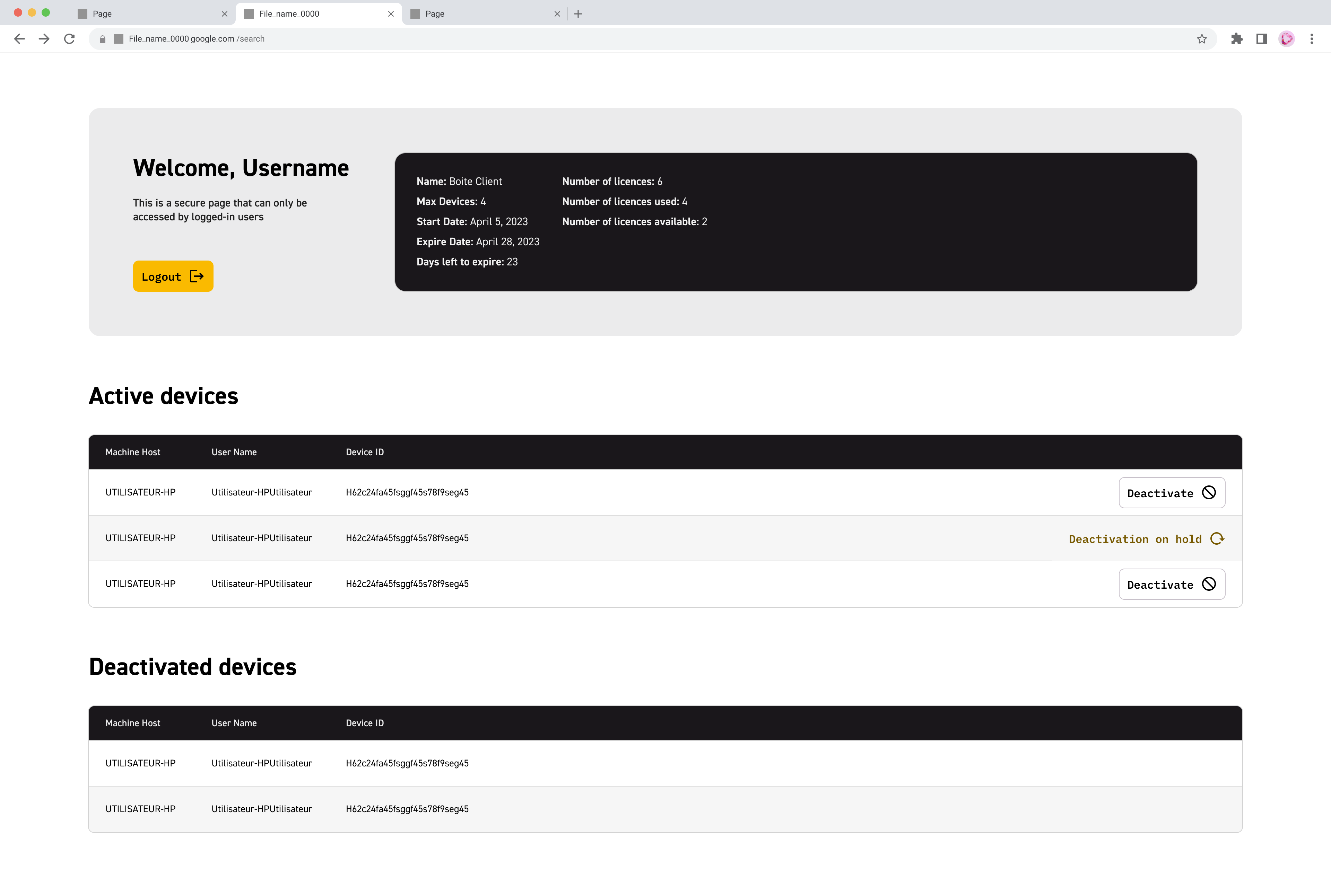
A new interface has been introduced to manage your licences and give you access to personal information about your licences and the machines linked to them.
How to access it?
With this browser-based page, you can view your active licences, and you can also request that your licences be deactivated by sending a request directly to support.
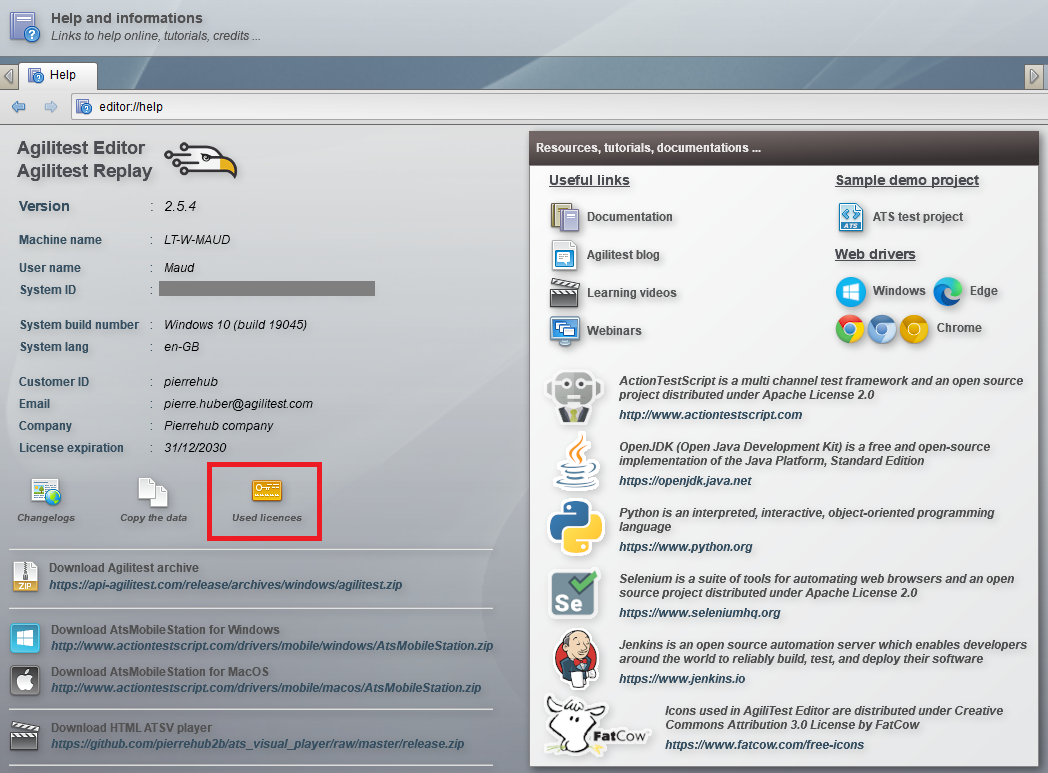
To go to the licences page, simply click on the "Used licences" button, accessible directly from Agilitest, in the Help menu.
To access your personal interface, simply enter your User ID. Then, you will have to enter your password. If you do not have a password, you will automatically receive one by e-mail as soon as possible.
Manage your licences
Once you have entered your login details, you will have access to your personal information, including your active licences, your deactivated licences and the machines linked to each of your licences.
For more information, please consult the documentation on Licences Management.